
Team: Lina Khalighi
Role: UI/UX Designer- 2025
Platform: Responsive Web ( iOS Mobile )
In contrast to my previous projects, where I worked mostly independently after the research phase, this project involved frequent use of AI tools such as Claude, Figma Maker, and ChatGPT to support ideation, structure, and execution during the design process.
Project Overview
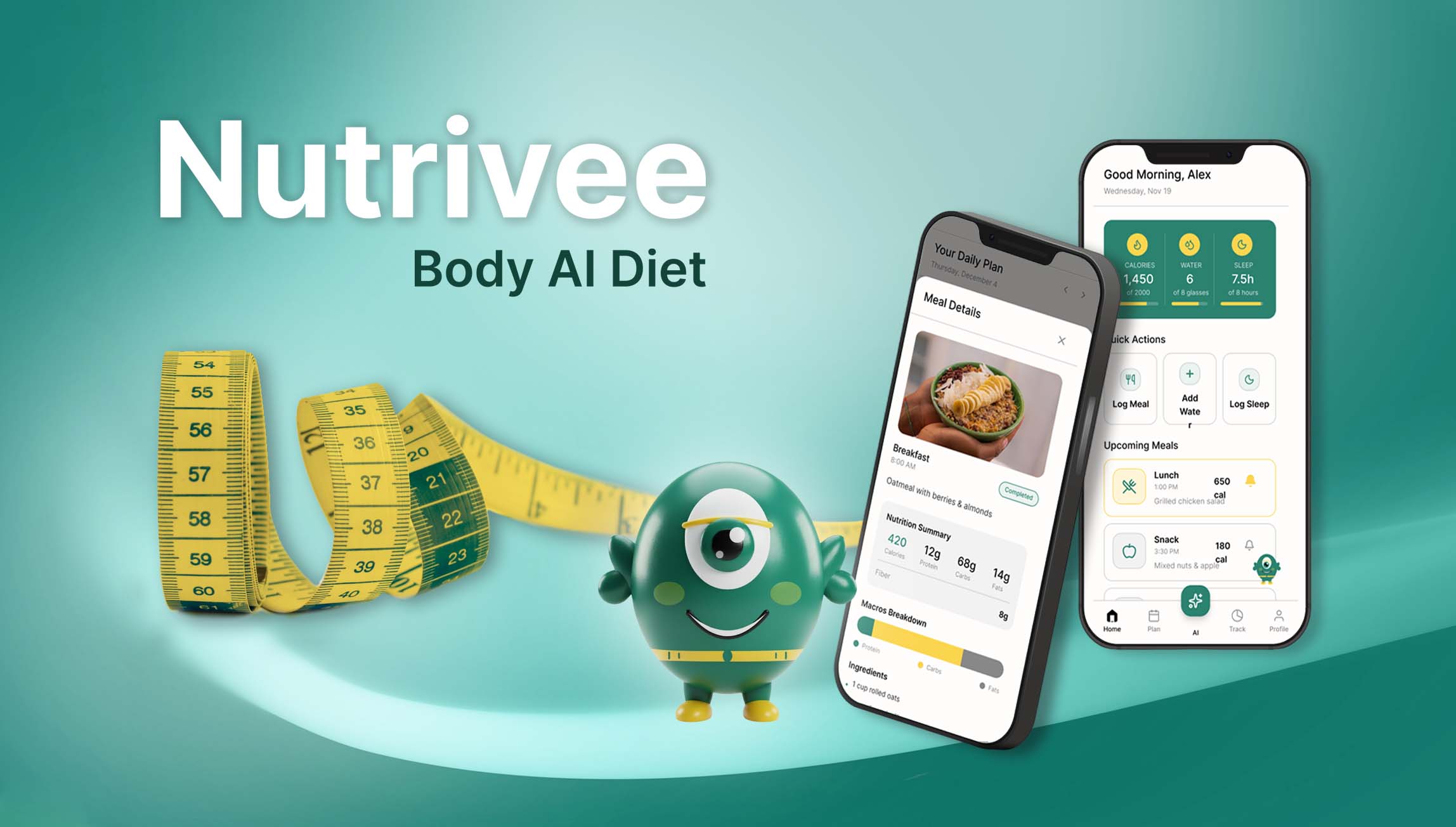
BodyAI Diet is a conceptual, AI-assisted nutrition app designed to help users track meals, analyze scanned foods, receive personalized adjustments, and stay consistent with their diet through intelligent reminders
Target Audience
- Individuals following structured diet plans
- Users who want effortless daily tracking
- People who rely on AI for personalization
- Busy users needing clear guidance and smart reminders
They value speed, clarity, low cognitive load, and supportive interaction without overwhelming steps
The Problem/Pain Point
- Staying consistent with their diet when they eat substitute foods
- Understanding whether a scanned meal fits their nutritional goals
- Feeling guilty after eating something different
- Managing meal reminders or supplement reminders effortlessly
- Navigating complex health apps that require too many steps or clicks
User Personas
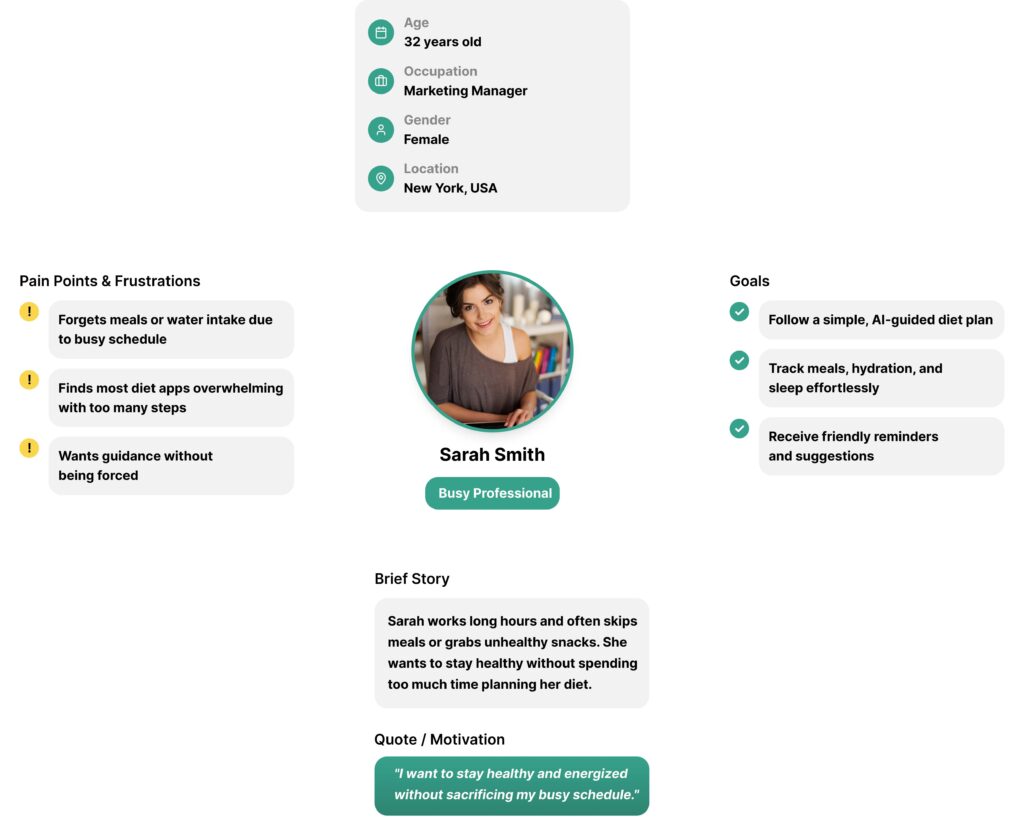
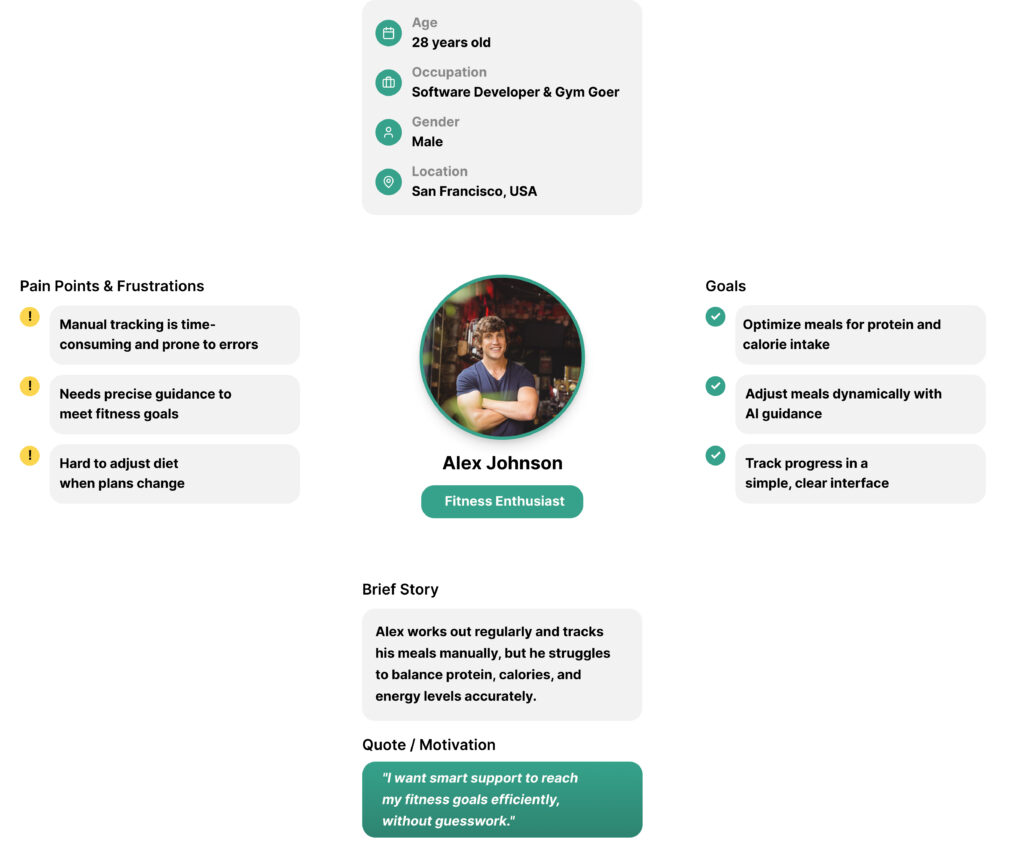
To better understand the goals and frustrations of my users, I created two fictional personas. These personas helped guide my design strategy and kept user needs in focus throughout the process.
Design Solution
BodyAI Diet leverages AI to guide users effortlessly:
- AI Food Scan: Analyzes scanned meals, shows which meal it fits, and suggests adjustments for calories, protein, or activity.
- NutriVee Character: Friendly assistant across all screens, handles reminders, reads messages aloud, and offers chat guidance.
- AI Tools: Navigation bar icon provides “Ask Anything” and “Scan with AI” functions.
- Smart Reminders: Trigger notifications with NutriVee reading the message and a ringing bell.
Competitive Research
I analyzed major diet and nutrition apps such as:
- MyFitnessPal
- Lose It!
- MyPlate
- Lifesum
Key gaps identified:
- High friction in adding meals
- Little emotional support
- AI interactions are not clear or are hidden
- Reminders are generic, not adaptive
Opportunity: Create an app that feels guided, personal, friendly, and extremely easy to use
User Testing
(Two Rounds of Experiments)
Round 1 – Low-Fidelity Prototype
Goal: Validate basic flow, clarity, and hierarchy.
Findings:
- Users were confused about the difference between “Ask AI” and NutriVee
- Reminders were not clearly visible
- Some icons felt similar and caused hesitation
- Users wanted custom notes inside reminders
Round 2 – High-Fidelity Prototype
Goal: Validate the refined design, interactions, and visual flow.
Results:
- The flow felt simple, purposeful, and enjoyable
- Users completed tasks faster
- NutriVee’s reminders felt intuitive and friendly
- Notification window with ringing bell improved visibility
- Accessibility reading option was appreciated
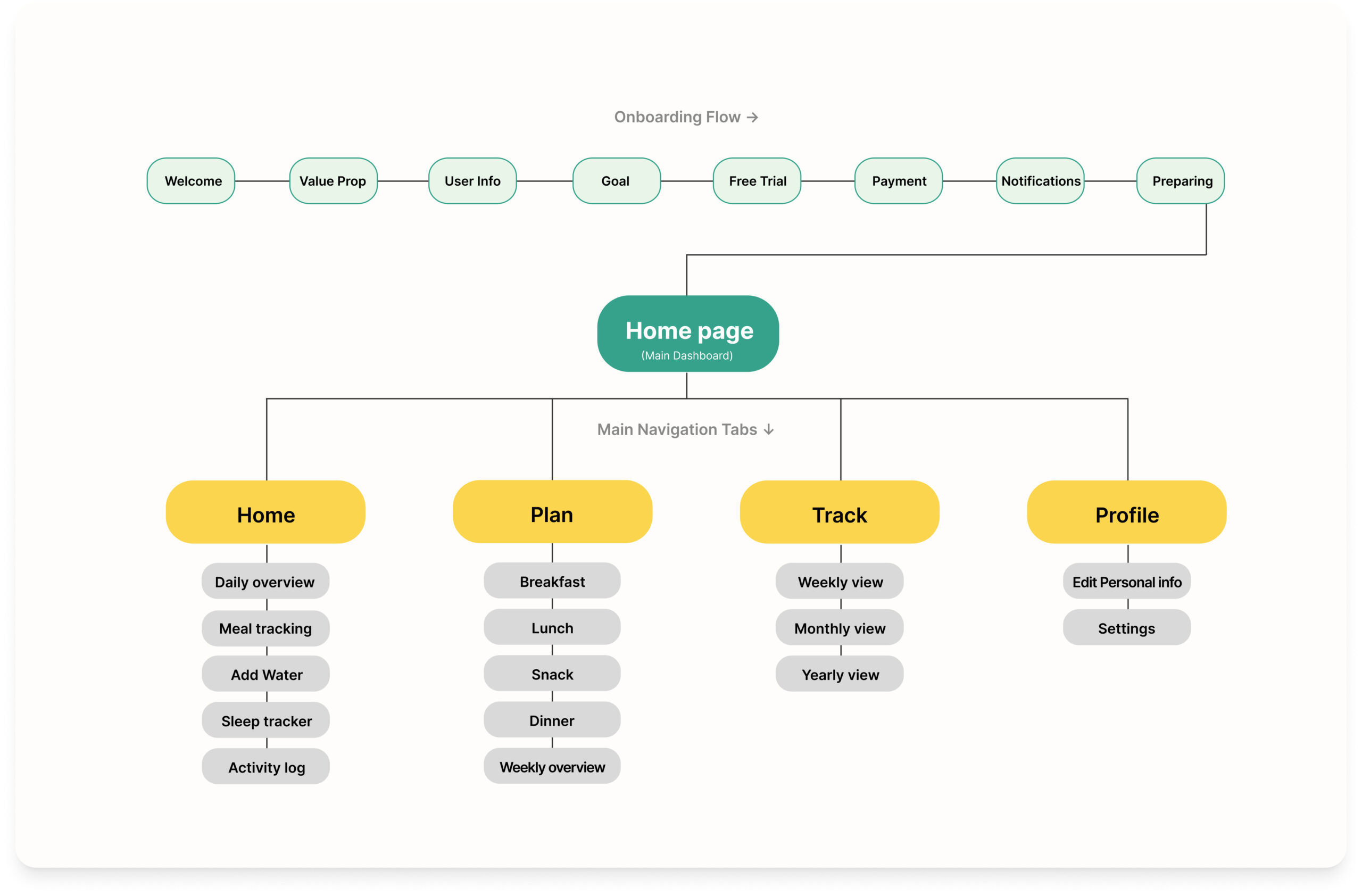
Site map
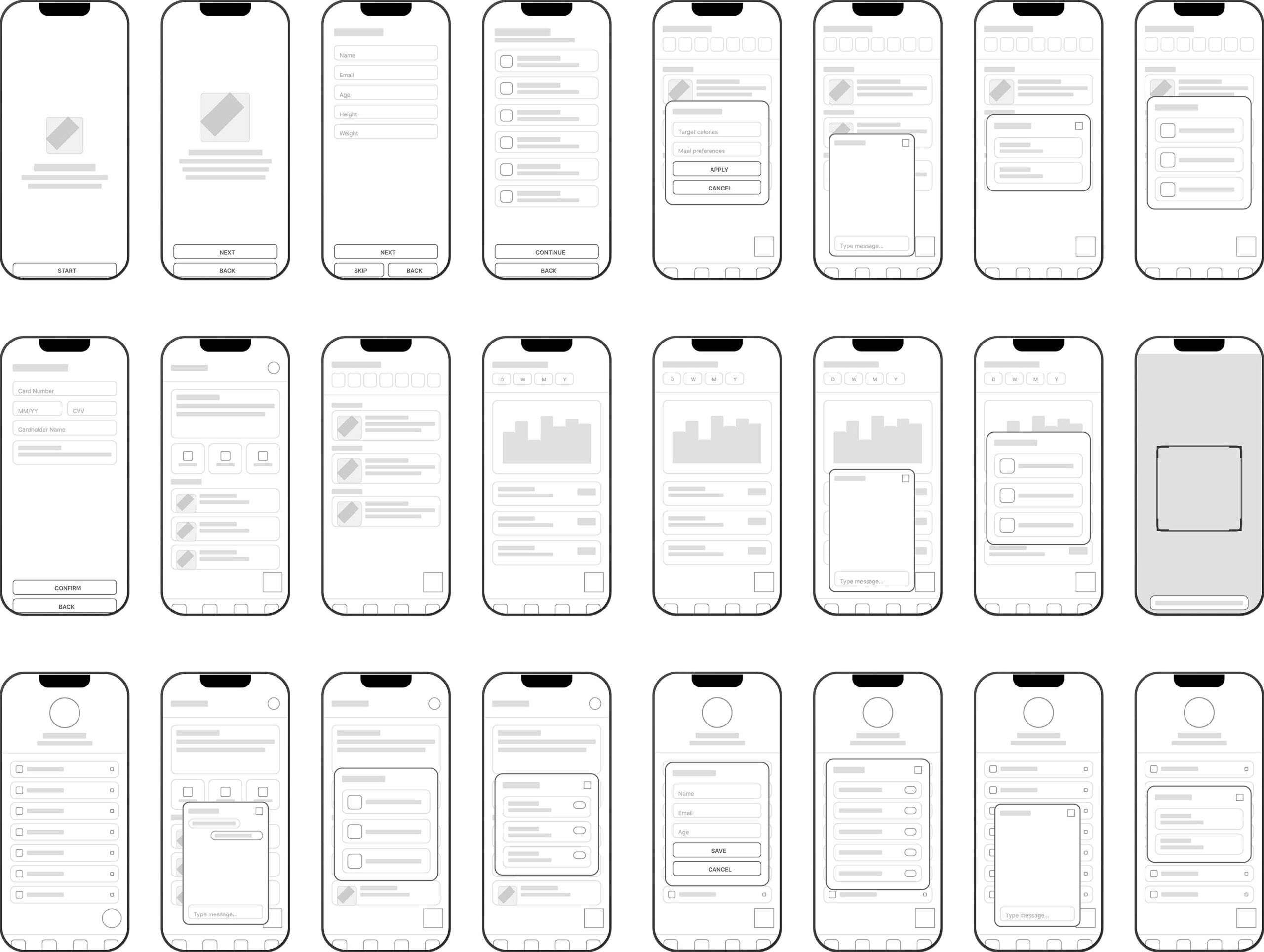
low fidelity design Mobile sample
High fidelity design Mobile sample
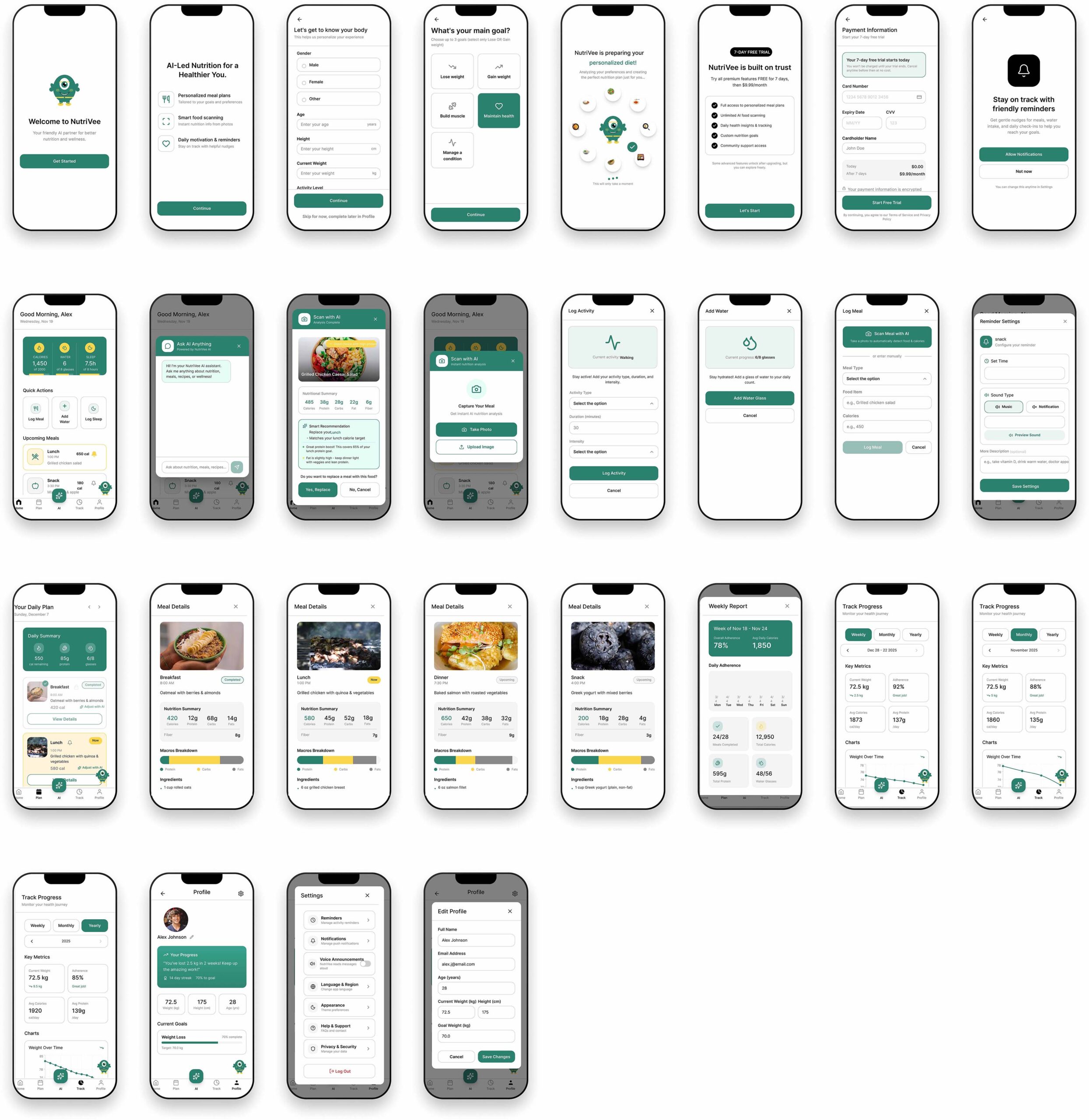
This Figma link showcases a high-fidelity prototype. Please note that some interactions are not fully functional in this preview version.
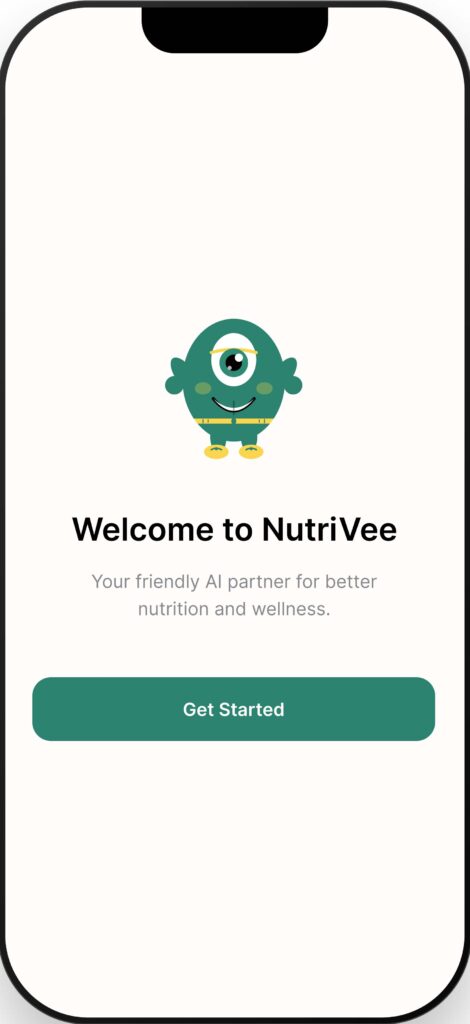
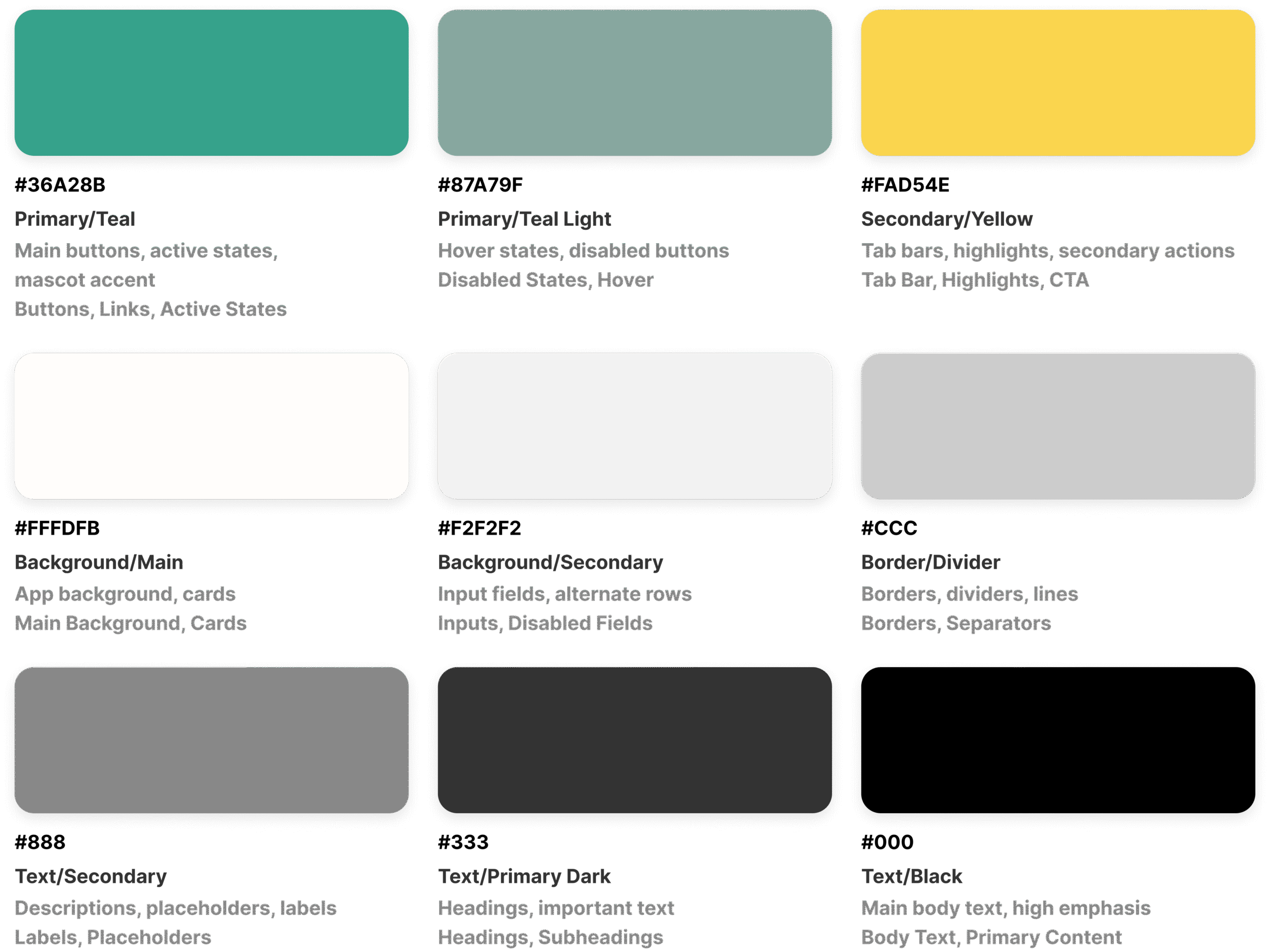
Color Palet
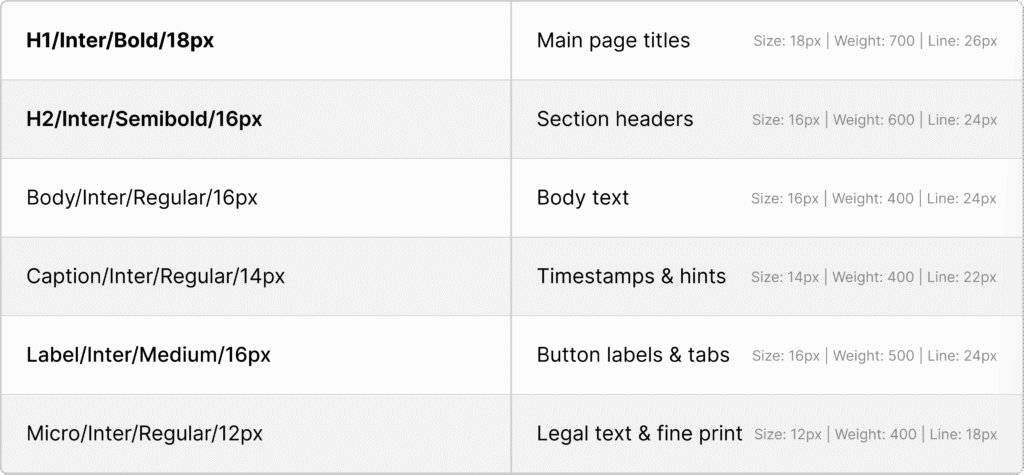
Typography
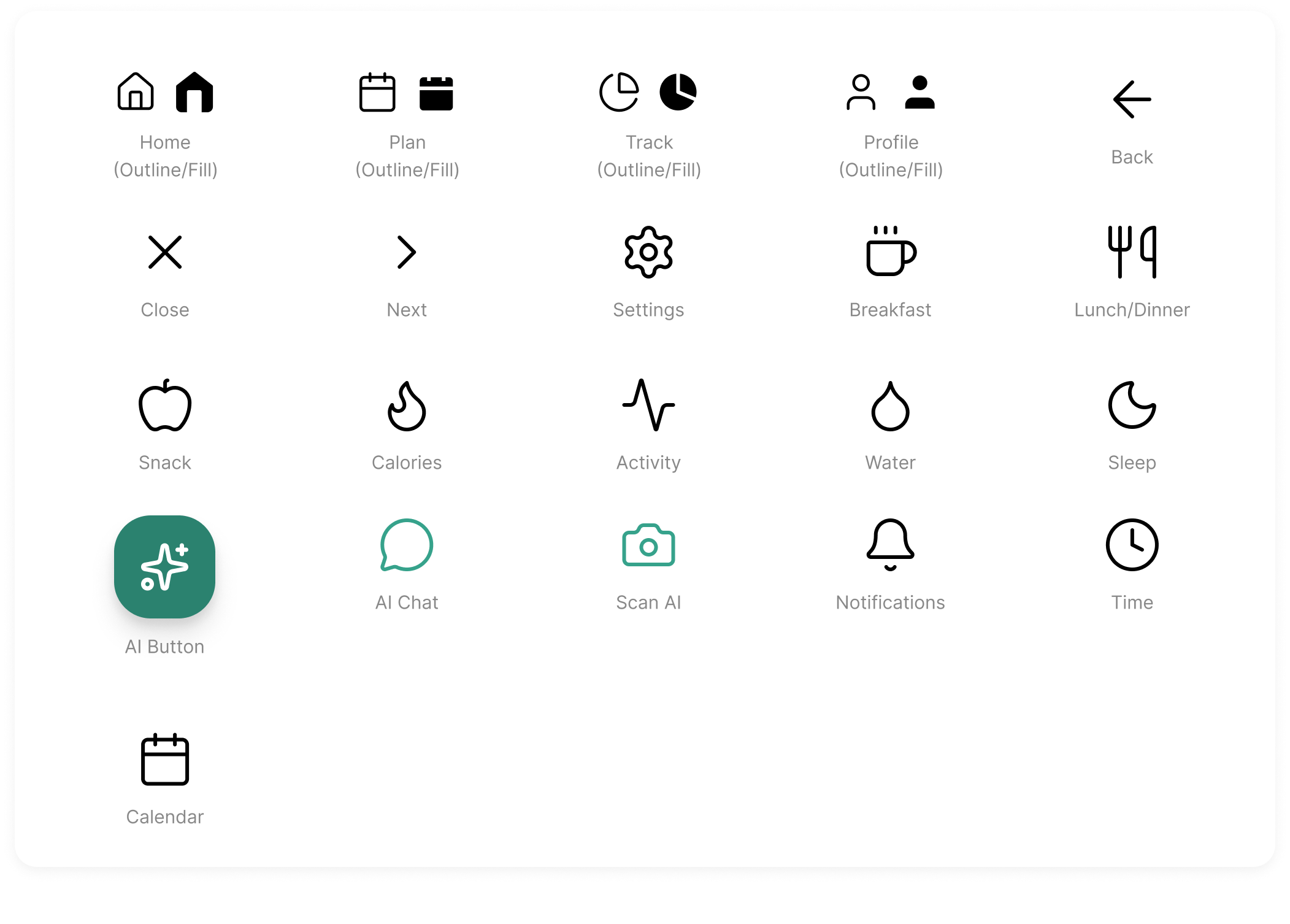
Iconography